Amazon A+ Content: Creation, Best Practices, and Examples
Contents
Selling books on Amazon is hard. Getting a book noticed on Amazon is hard. And convincing a buyer to choose your book over all the others out there is hard. Luckily, if you are printing a book through Amazon KDP, you have access to a tool that can help: Amazon A+ Content. According to Amazon, A+ Content can increase the sales of a product from 3–10 percent. So let’s take a look at what Amazon A+ Content is and how best to use it.
What is Amazon A+ Content?
Amazon A+ Content is a feature than enables Amazon sellers to create enhanced product descriptions by including elements such as charts, FAQs, and vibrant art. In short, A+ Content is Amazon’s way of letting vendors share more information about their products with potential buyers. In the case of a book publishing, this may mean showing off spreads of the book, highlighting the key selling points in a visual manner, offering a comparison chart between books in a series, or more.
The idea behind Amazon A+ Content is that is gives a potential buyer a greater understanding of what the book is and why it is the right book for them. By using enriched content, an author or publisher can enhance the user experience, driving higher sales and more traffic to the book’s listing.
 Related article75 Book Marketing Ideas to Boost Sales!75+ book marketing tips to help authors sell books. Includes ideas on website creation, advertising, social media, Amazon Direct Publishing, and media outreach.Read the article →
How does Amazon A+ Content increase sales?
To put it simply, consumers won’t buy what they can’t see. For a book, the look inside feature is rarely enough to sell a book. Amazon A+ Content allows an author to dig deeper. To share what makes a book (or series of books unique.) And to do so in a visually stunning way that will capture a reader’s attention when scrolling. This matters because good, eye-catching A+ content is more likely to catch a reader’s eye than just a text description, which may be glossed over. On a page full of text, art that showcases what makes a book good is going to make someone stop and take notice! And that notice can result in higher conversion rates and increased traffic. Amazon A+ Content is an author’s way to sell themselves—and their books—in a unique way.
Who can create A+ Content?
Within the world of books, Amazon A+ Content is open to publishers using KDP to publish books. Publishers who use the Amazon Advantage program also have access to A+ Content. In the broader product world, Amazon A+ Content is open to vendors who have been approved as brand owners through the Amazon Brand Registry program. Although not currently available for books, the Amazon Brand Registry program is worth looking into for authors who sell licensed merchandise to go along with books.
 Related articleWhat Are the Best Print on Demand Book Services?A guide to the best book printing services for print on demand books, including the pros and cons of Amazon print on demand, IngramSpark, Blurb, BookBaby, & Lulu xPress.Read the article →
What can Amazon A+ Content be used for?
Amazon A+ Content is the “From the publisher” section on a book’s page. And it can serve many purposes. Check out some Amazon A+ Content examples below and the way publishers have used A+ Content to drive sales:
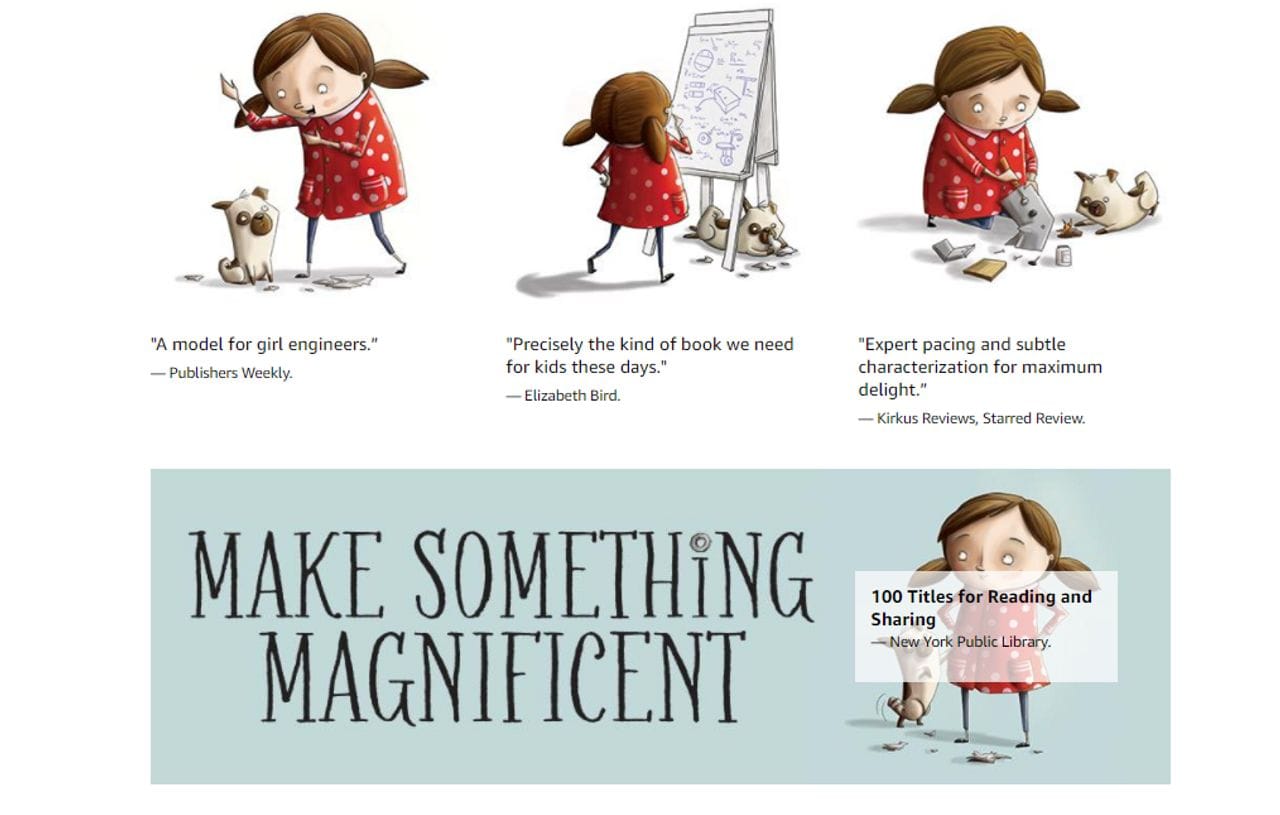
The Most Magnificent Thing, by Ashley Spires, published by KidsCan Press uses Amazon A+ Content to showcase editorial reviews.
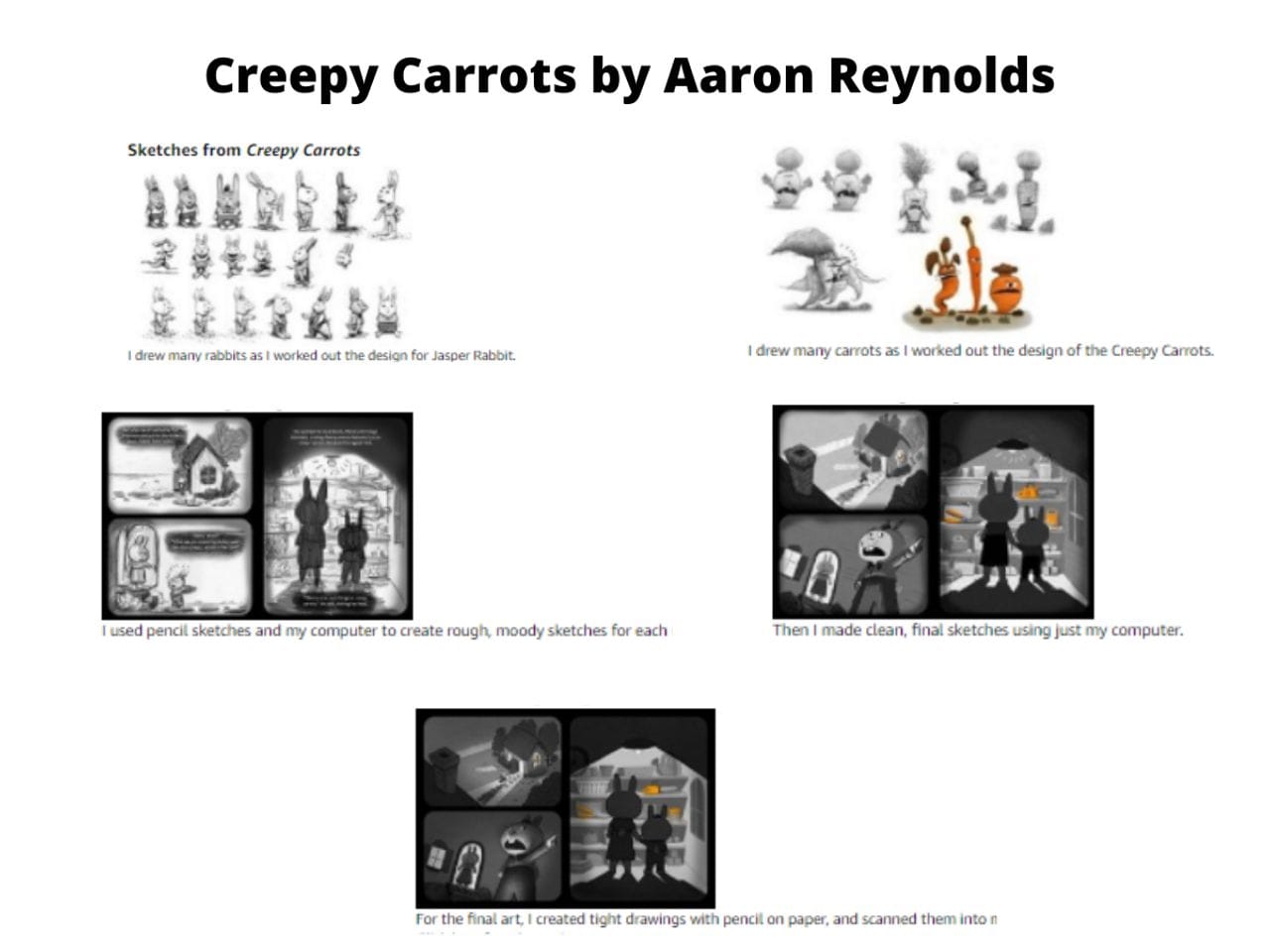
Creepy Carrots by Aaron Reynolds, published by Simon and Schuster, uses Amazon A+ Content to offer a behind-the-scenes look at the creation of the book.
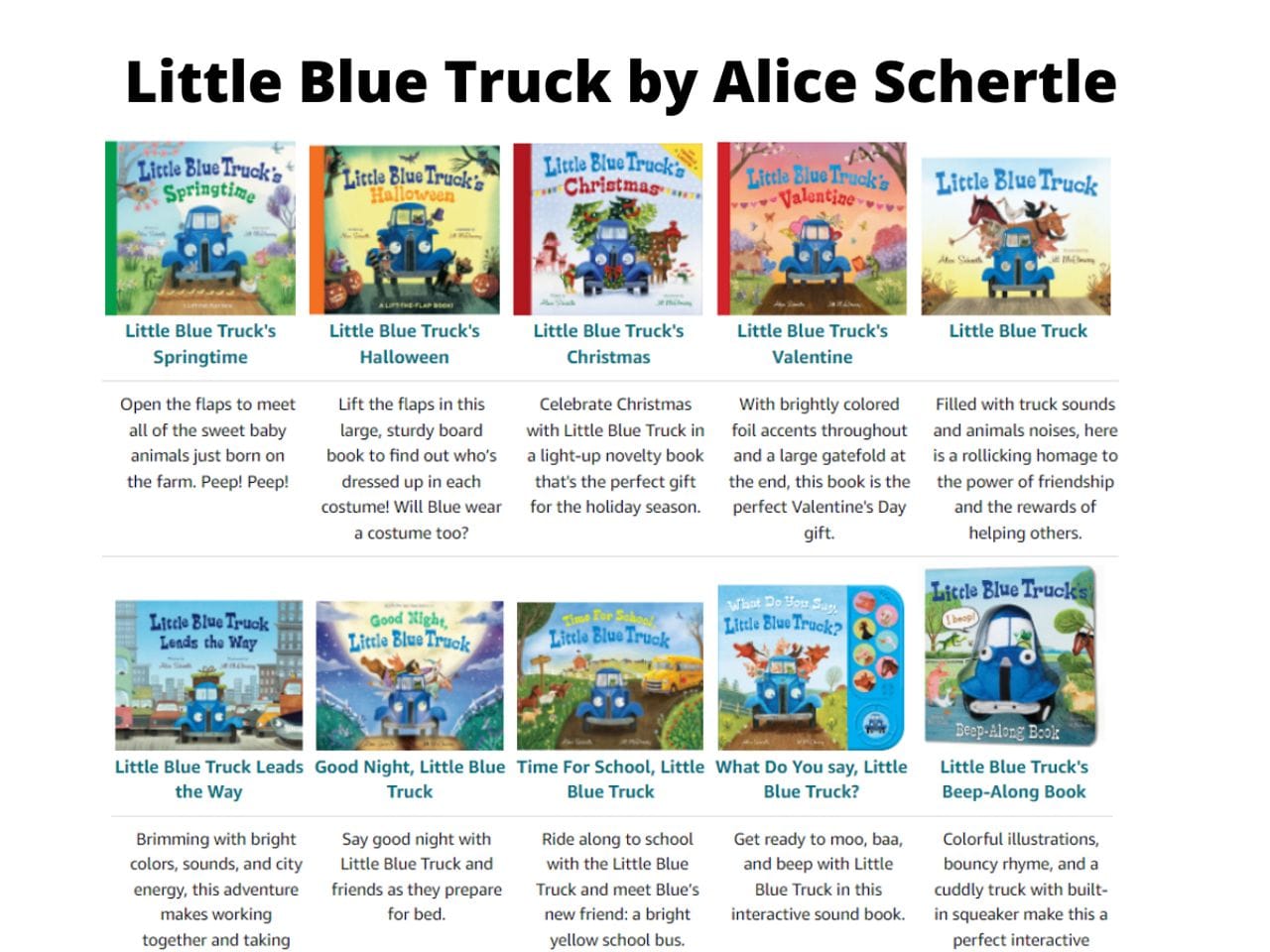
The Little Blue Truck by Alice Schertle, published by Clarion Books, uses Amazon A+ Content to showcase all of the other books in the series.
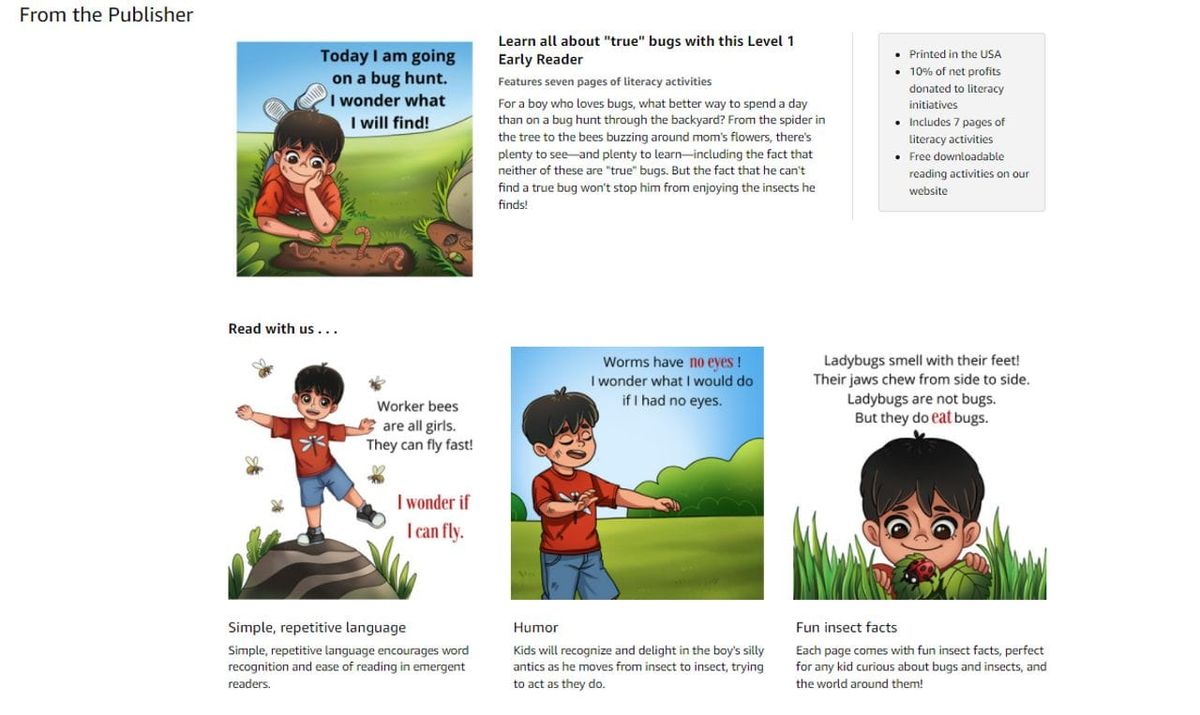
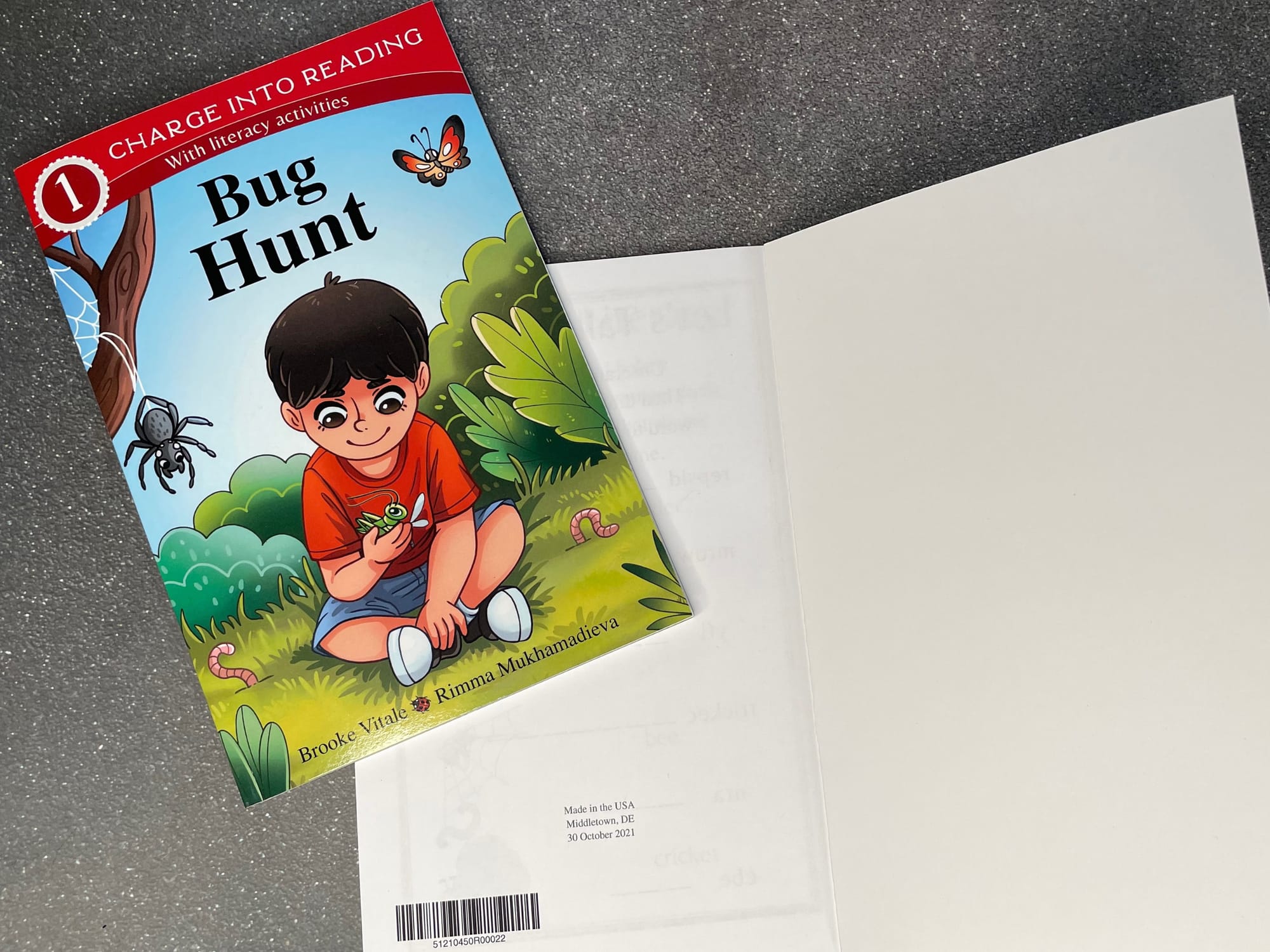
One thing I have found when dealing with publishing through KDP is that the book summary doesn’t always show up at the top of the page like it should. To counter that, I like to use A+ Content to repose the book summary. I also find it helpful to use Amazon A+ Content to showcase the book’s key selling points, as in the example below from my level 1 early reader book Bug Hunt, on sale today at Charge Mommy Books online shop.
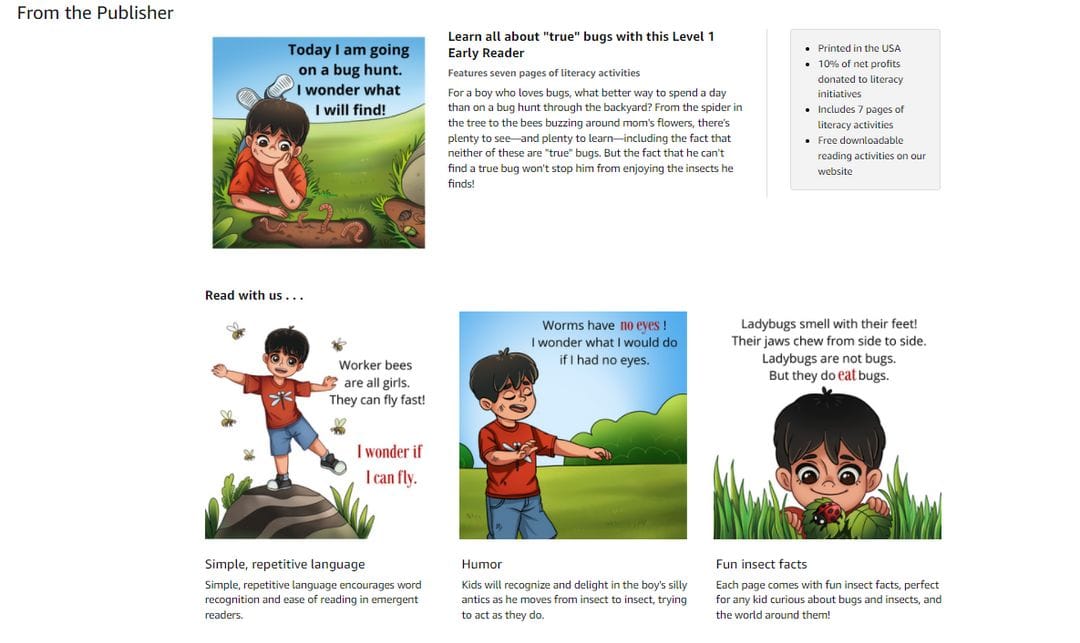
And of, it’s also a great way to show spreads from the inside of a book, especially since publishers have no control over what pages get shown as part of “Look Inside the Book.”
How to create A+ Content in 6 steps?
1. Getting started
For publishers on KDP, A+ Content can be reached through the KDP Dashboard.
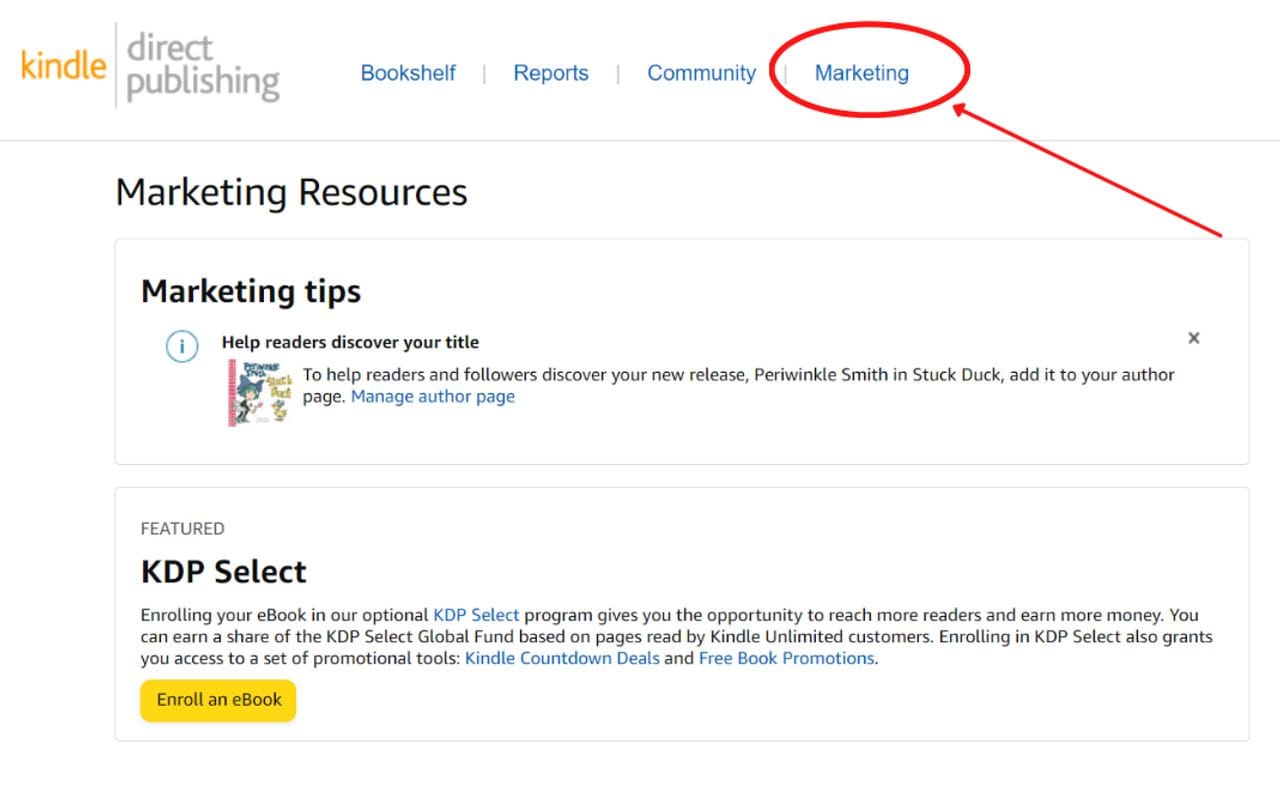
2. Selecting a market
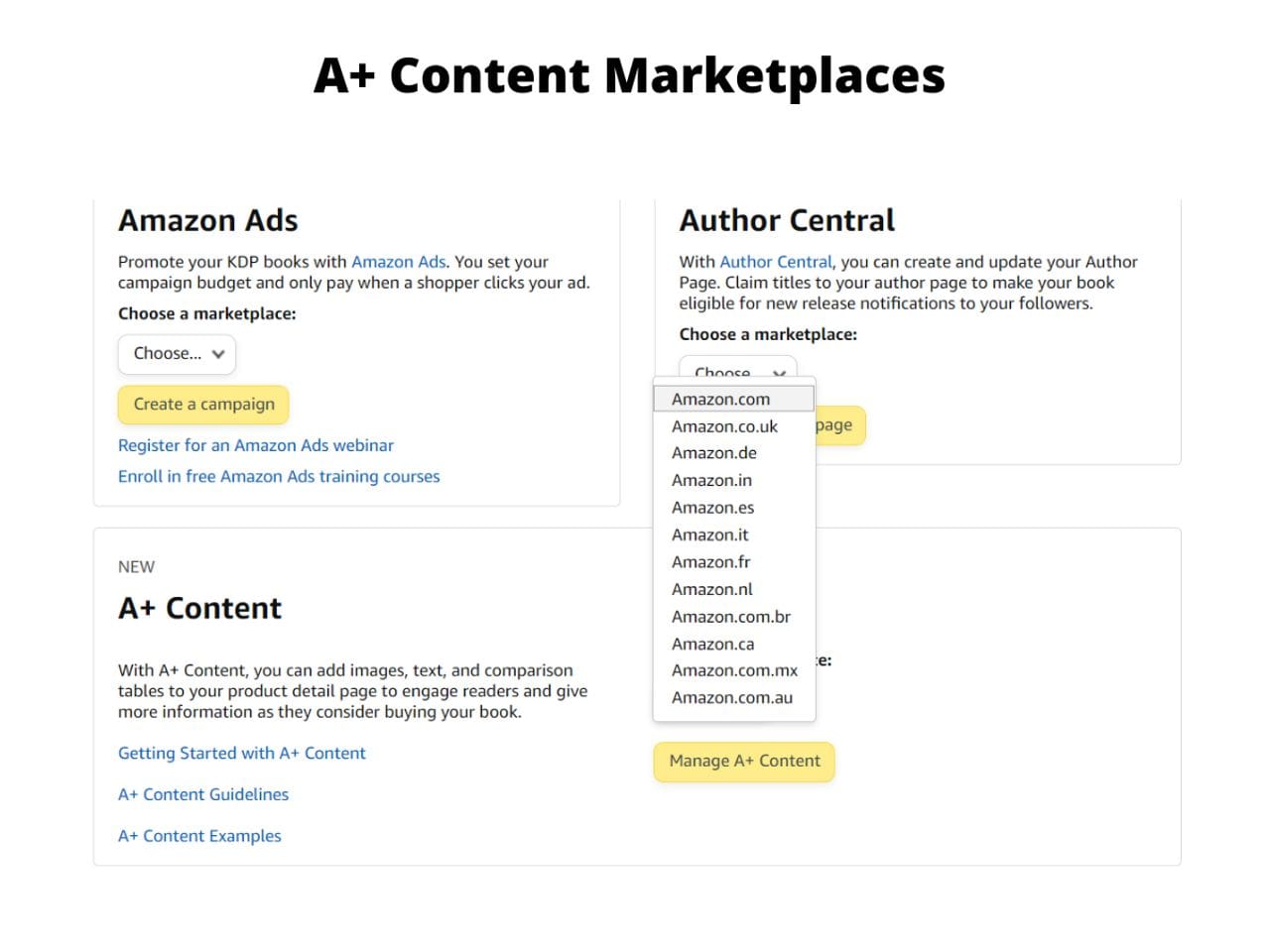
Click the Marketing tab, then scroll down to A+ Content and select the marketplace you want to build it in.
Pro Tip: While Amazon A+ Content can be created for every country, each one must be created separately. Unfortunately, there is no button that will let you push it to all territories you sell in, so start by choosing the territories you sell (or expect to sell) the most books in.
3. Name the content
Once a territory has been chosen, the next step is to name the A+ content. I always use the name of the book, as it makes it easy to keep track of.
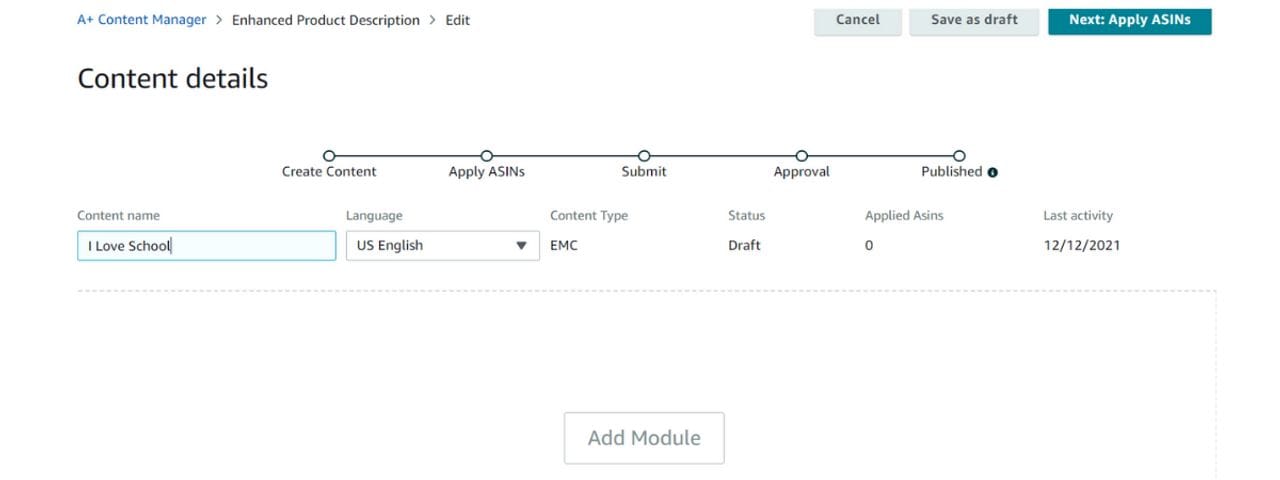
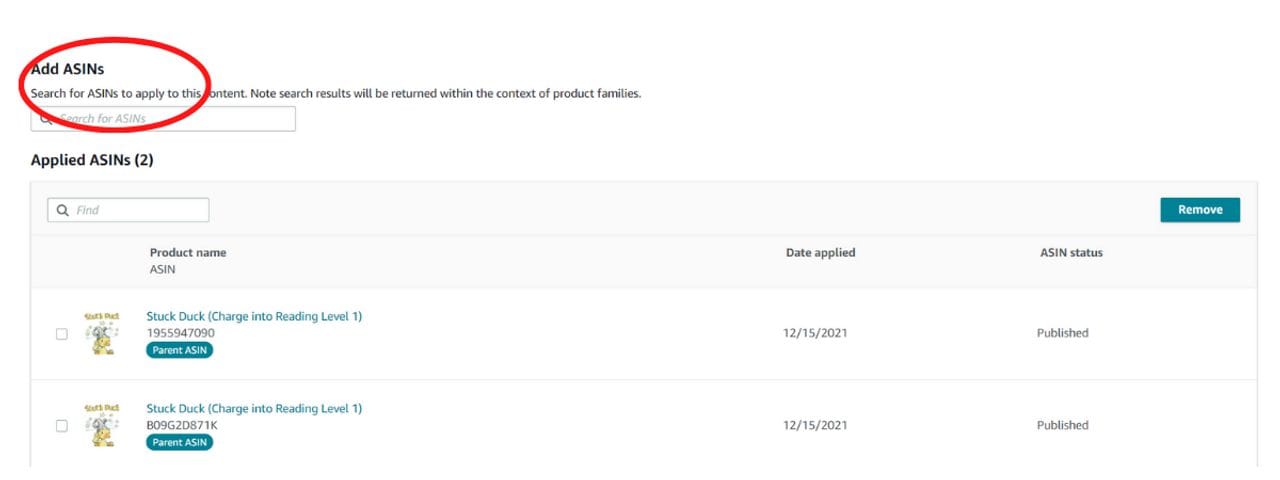
4. Assign ASINs
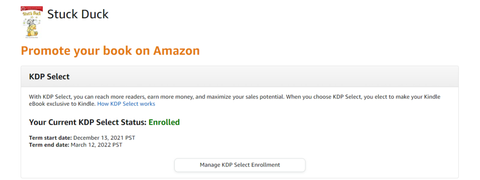
Amazon also requires that each set of content have an ASIN (or several ASINs) assigned to it. ASIN stands for Amazon Standard Identification Number. An ASIN is a ten-digit number assigned to every product sold on Amazon, and can be found on the KDP bookshelf under each title.
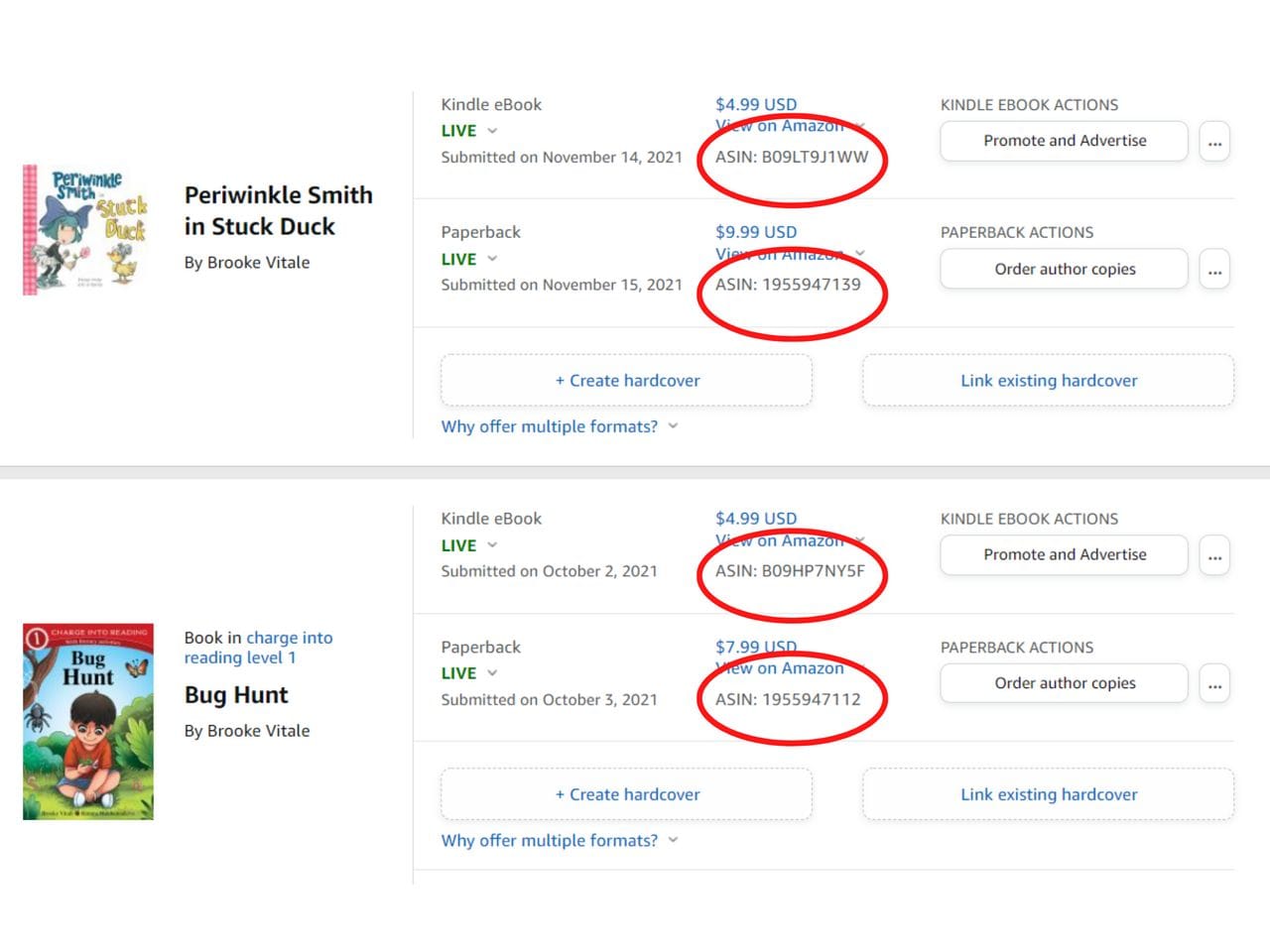
When creating A+ Content, be sure to input the ASINs for both your eBook and your physical book(s), as in the example below.
5. Select Amazon A+ modules and start creating
Once all of the information for a book is uploaded, it is time to start actively creating A+ Content. Amazon offers multiple “modules” or design templates for creating A+ content. Each is best used for different purposes, so it is a good idea to play around with different modules to see how they look. Below is a quick look at the available A+ Modules.
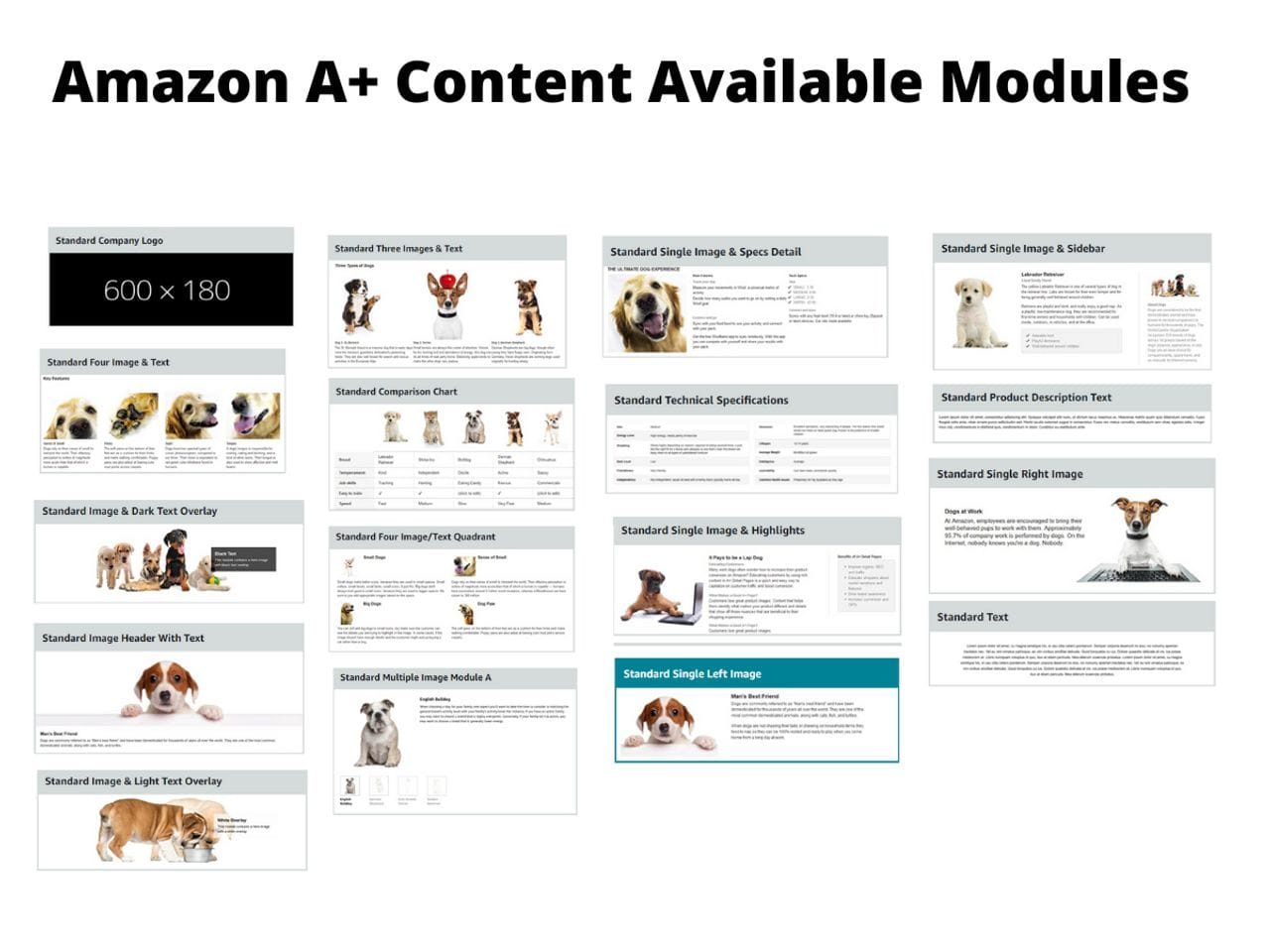
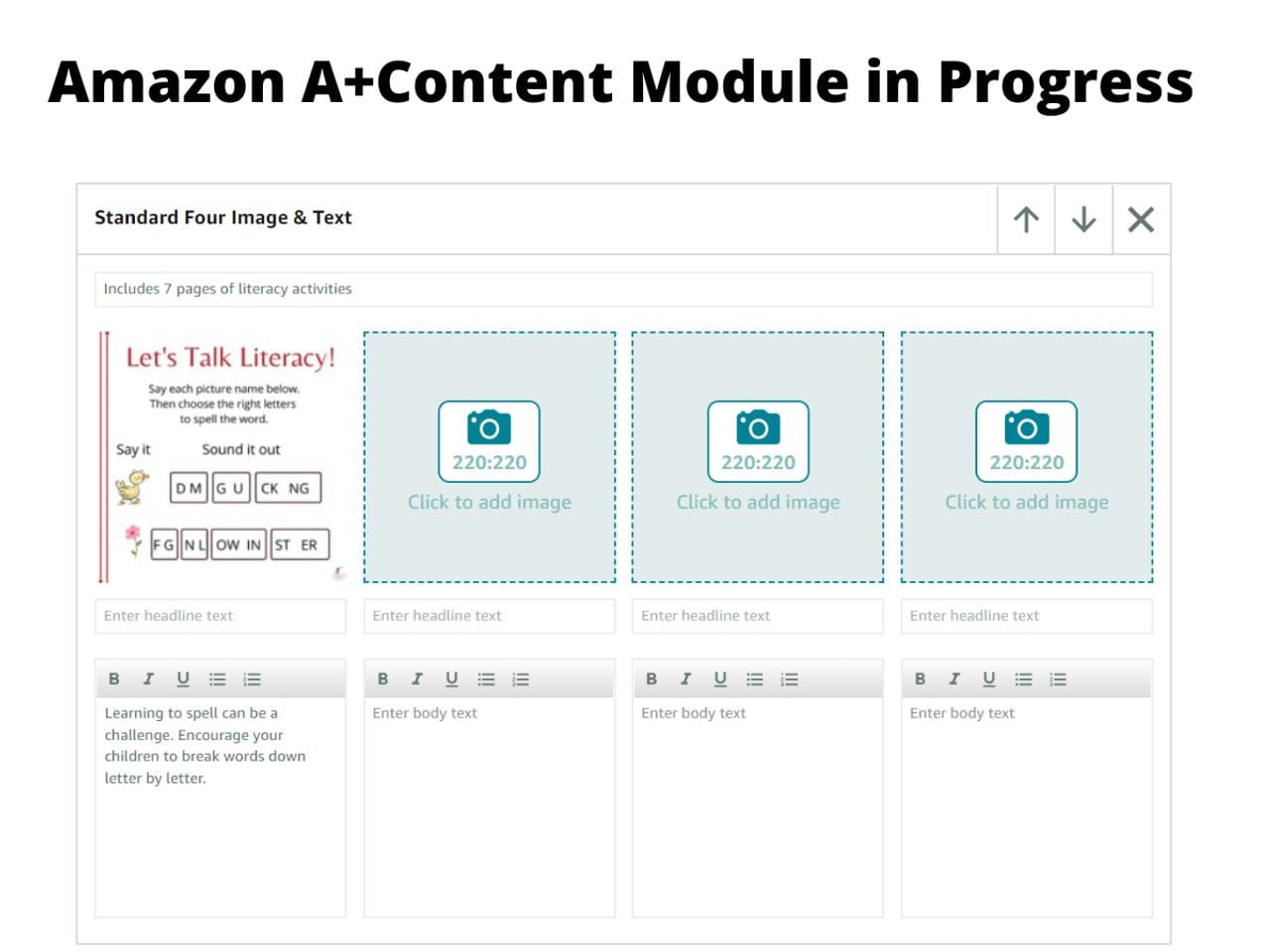
Each of these modules has different design requirements, so pay close attention to the sizes noted on the modules for art. If the art is not sized properly, it may be rejected. In the example below, each piece of art must be 220 x 220 pixels.
6. Review and submit for approval
Once all A+ Content has been designed, there will be a chance to review it and then submit for approval. A+ Content is usually approved and appears on a book’s page quickly.
Pro tip: When designing Amazon A+ Content, keep in mind that it appears differently on a desktop versus mobile. This is especially true of modules that offer several images in row. When reviewing prior to submission, check both options to ensure they look okay.
What are A+ Content best practices?
When creating Amazon A+ Content, remember, the point is to sell your product. So make it look its best with these tips:
- Emphasize your book’s unique selling points: In a sea of books, what makes yours stand out. Why should a buyer choose your book over another?
- Combine text and images: A potential book buyer is looking for something that will catch their attention, so make the most of your art. Add in some relevant text that will pop. Just like art can stop a reader in a giant block of text, a little well-placed text can also stop a reader in a section filled with art. Just make sure to keep the text on the art simple, short, and relevant!
- Share your book reviews! Customer reviews are great—and genuine. Mine your book reviews for one that can really showcase the heart of your book. As you’re reading, keep an eye out for common themes in the reviews. Is there something everyone calls out as a benefit of the book? If so, make sure your A+ Content features that information!
- Proofread your A+ Content: Typos look bad, and they can turn off potential buyers—especially for books. Read you’re A+ Content, and then read it again and again to make sure there are no mistakes.
At the end of the day, Amazon A+ content is a catch-all that allows publishers to show off whatever is most important about their books. And if done well, it can offer a huge boost to sales! So what are you waiting for? It’s time to get started creating that A+ Content.